

Twenty years reactive, twenty buildings behind
The contractor handles electrical maintenance for a Milwaukee area university campus. Some of the buildings are more than a hundred years old. For two decades the work was reactive: fix what breaks, move to the next call.
The proactive program had been pitched for years and never landed. One-line diagrams were missing or decades out of date. There was no living record of panels and breakers anywhere on campus. Then NFPA 70B changed from a recommended practice to a requirement, and insurance carriers started treating it as a baseline for insurability. That combination finally moved the project off the shelf.
A journeyman electrician on the crew put it plainly during a joint Testo and Gimba webinar on the project:
“You’ve been talking to us about doing a maintenance study. The fact that NFPA 70B is going to start being enforced was a good start.”
Journeyman Electrician, Large Electrical Contractor
How Gimba Handles This
One workflow, camera to compliance
On this campus the crew ran Testo imagers on the direct integration. Here is what those four steps looked like, about a minute each once a technician settles in:
- Snapshot. Capture the thermal image. The crew used Testo imagers here, but Gimba accepts images from any IR camera.
- Label. Tag equipment, room, and building in Gimba, right from the phone.
- Upload. Testo app to Gimba over Bluetooth and Wi-Fi, no PC involved. Files from another camera drop straight into Gimba the same day.
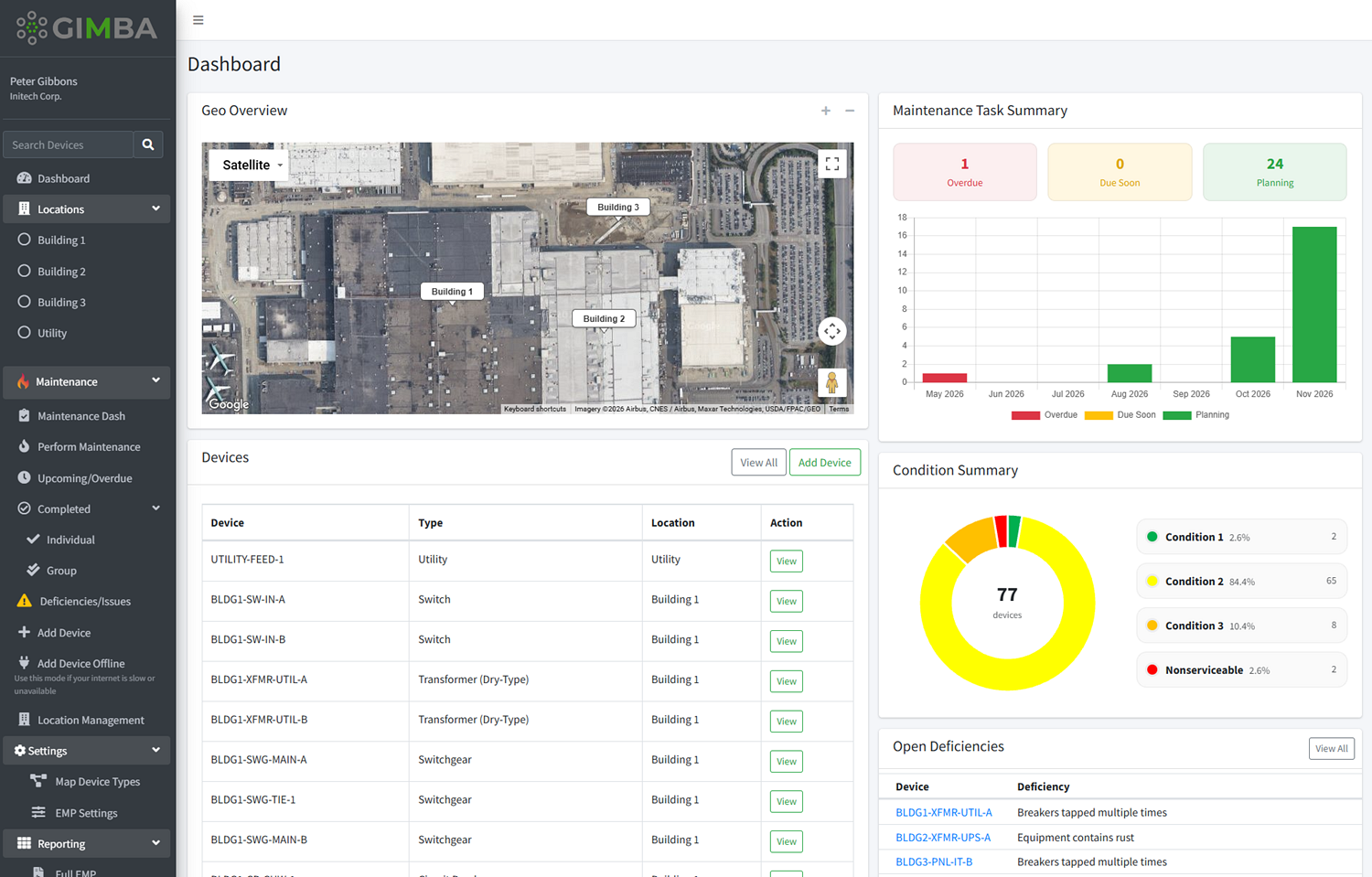
- Report. Gimba builds the report and rolls it into the one-line diagram and the EMP.
Two things worth keeping separate here. Entering asset data into Gimba needs no thermal camera at all. IR scanning is its own task under NFPA 70B, and that is where a camera comes in. Testo pairs directly with Gimba and skips the SD card step, but Gimba takes thermal images from any IR camera.
The savings pay for the program
Before, a single documented data point took 7 to 10 minutes: pull the SD card, sort the images, match them to the right panel, build the report by hand. With a camera-to-platform workflow that dropped to about two minutes. On a multi-building scan that gap adds up to thousands of field hours.
Run the math and the labor saved covers the cameras, the platform, and the field hours needed to run the program in the first place. Nobody has to ask a facility or a client to spend money on compliance for its own sake.
Compliance is the byproduct. The return on labor is the pitch.
The admin burden that kills programs like this
This is what the old process looked like, and what replaced it.
Before
- SD cards pulled and sorted by hand
- Notebooks and paper handoffs that get lost
- Manual report assembly on a laptop
- One bad file forces a re-scan
With Testo + Gimba
- Camera to platform, no manual handoff
- Every asset tied to the one-line and EMP
- Timestamped, traceable inspection record
- Audit-ready reports on demand
“We’re electricians. If you make logging easier for us, less human error is always great.”
Journeyman Electrician, Large Electrical Contractor
Why this matters beyond one campus
These numbers are specific to a 20-building program, but the pattern holds anywhere thermographic inspection is part of a maintenance routine. Infrared surveys are a standard part of an NFPA 70B compliance checklist, and organizations like NETA have published thermographic survey standards for years. What usually breaks isn’t the inspection itself. It’s what happens to the data afterward.
That’s true whether you’re a facility team running your own electrical maintenance program or a contractor trying to turn a one-time PM visit into a recurring contract. Gimba’s asset tracking and white-label tools were built around exactly this problem: getting field data out of a camera and into a document an auditor can read, with as few hands touching it as possible. No particular camera brand required.
The NFPA 70B standard itself doesn’t say how to run this workflow. It just requires the maintenance program to exist and to be documented. This contractor’s approach is one answer to the “how.”
See what a camera-to-compliance workflow looks like on your buildings
Bring your own thermal imager or ask about Gimba’s Testo integration. Either way, the demo takes twenty minutes.
Frequently Asked Questions
Does Gimba only work with Testo cameras?
No. Gimba accepts photos and readings from any device. The Testo integration is a direct Bluetooth and Wi-Fi handoff that skips the SD card step entirely, which is where most of the time savings in this case study came from.
How long does it take to set up a workflow like this?
Gimba onboards same day. The crew was tagging equipment and uploading readings within the first site visit, no separate training period.
Is a report like this enough for an NFPA 70B audit?
A timestamped, asset-tagged inspection record tied to a one-line diagram and an EMP is exactly what an auditor looks for. The standard requires the program to be documented, not any particular software, but a system that produces a clean paper trail without a rebuild from scratch makes the audit conversation a lot shorter.
Related reading: NFPA 70B Infrared Thermography Requirements | How to Sell NFPA 70B Compliance as a Service | NFPA 70B Compliance Software | All Articles
